
Start with no account
Offline mode needs only a PIN, and your records stay on that phone. Ready for more? Sign in with Google or Apple and import them when you choose.
Ring up sales, count your stock, track customer credit, and watch your cash, all from one phone. Kalamooo keeps working when the signal drops, so you never stop selling.
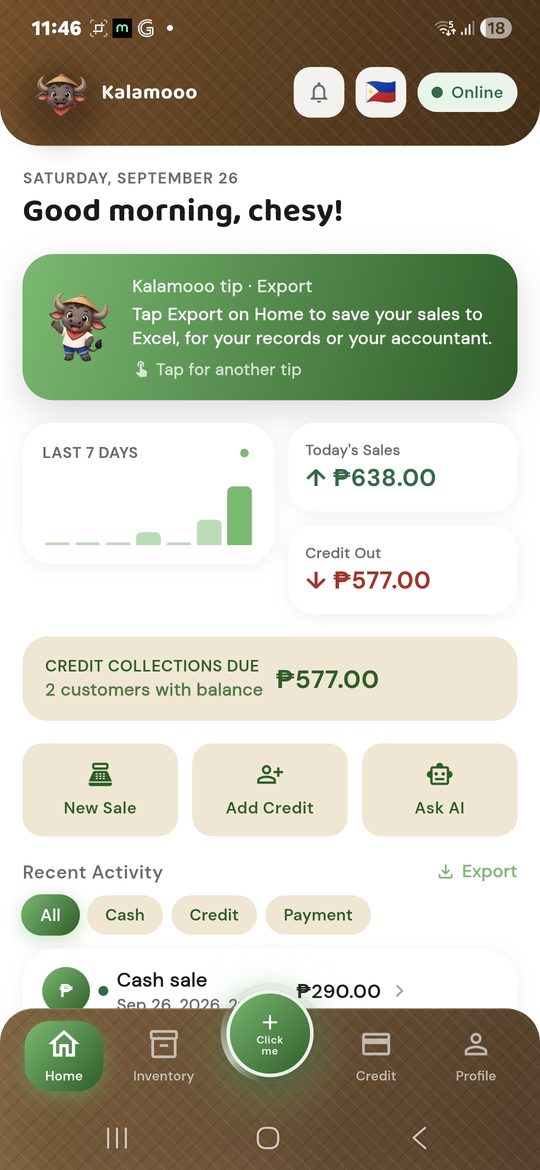
Brownouts, weak signal, no data left: the store doesn't stop, and neither does Kalamooo. Everything you do happens on your phone first, instantly, with no spinning wheel.
Tap or scan items and take payment. No signal needed.
The sale, the stock, and the customer's balance update right away.
Nothing leaves your phone by itself. Want an online backup? Import your records into an online account whenever you're ready.
Make a few sales, switch the internet off and on, then import when you're ready.
No sales yet. Tap “Make a sale”.
0 sales imported
Nothing goes online by itself. Your records reach an online account only when you choose to import them.
Offline mode needs only a PIN, and your records stay on that phone. Ready for more? Sign in with Google or Apple and import them when you choose.
Your records are encrypted on the phone, and only your store can see them.
Cash register, stock list, credit notebook, and cashbook. No computer, no extra machines.
Your own currency and VAT or sales tax on every price, total, and receipt.
Your sales tracking, stock list, credit notebook, and cashbook, all in one simple app. Pick one and tap through the real app right here.
👉 Tap the glowing dots on the phone
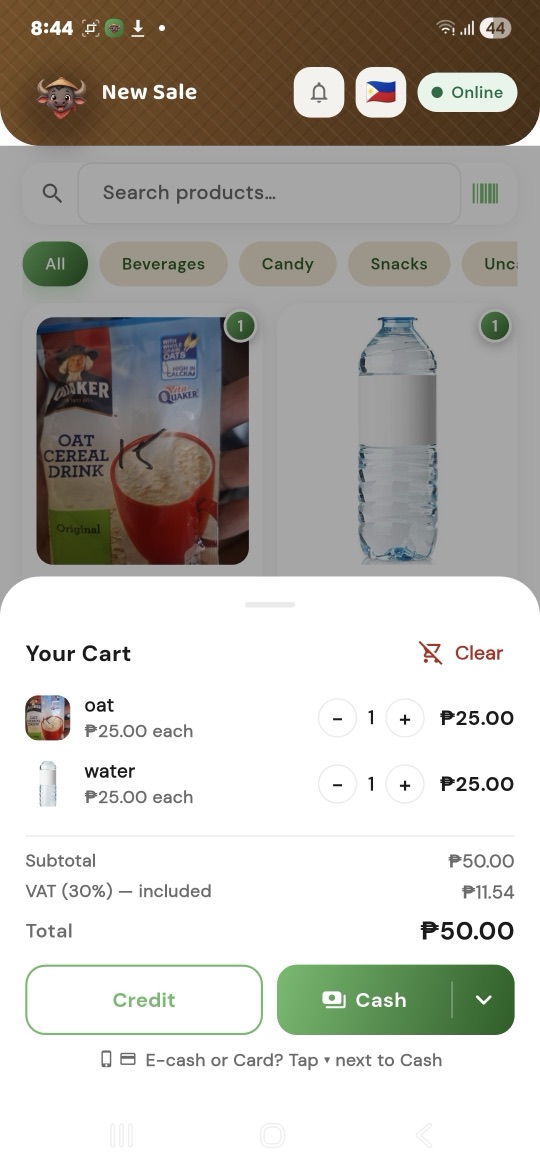
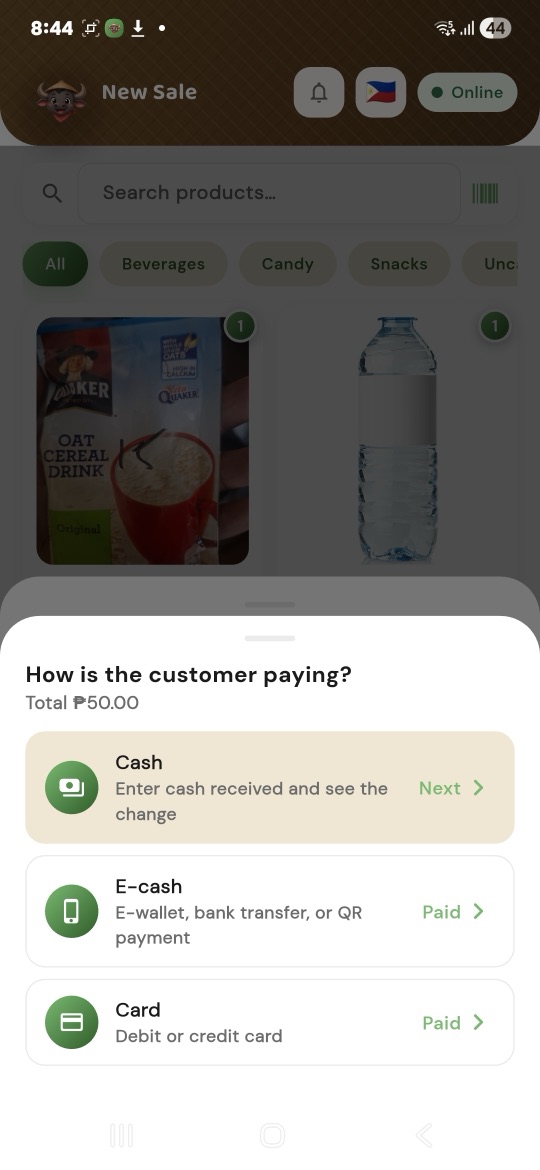
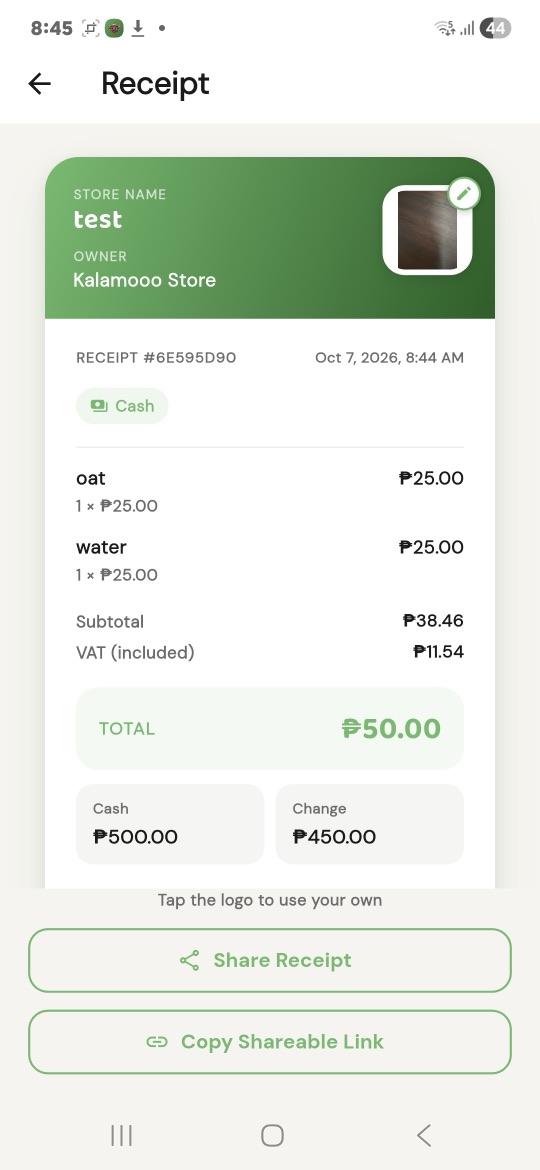
Items go into the cart. VAT is worked out for you.
👉 Tap the glowing dots on the phone
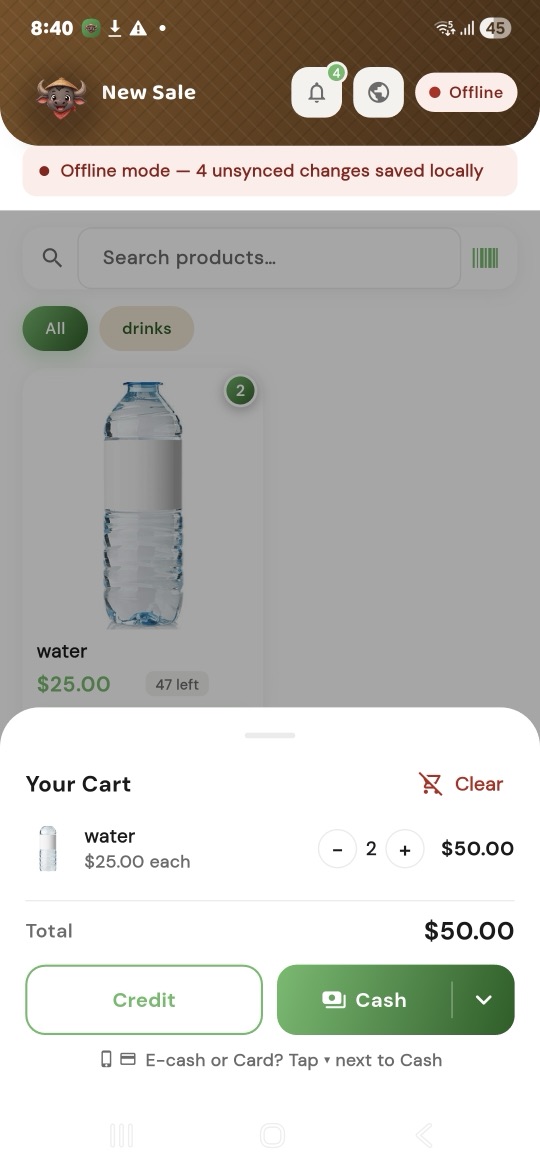
No signal: the sale still goes through and is saved on the phone.
👉 Tap the glowing dots on the phone
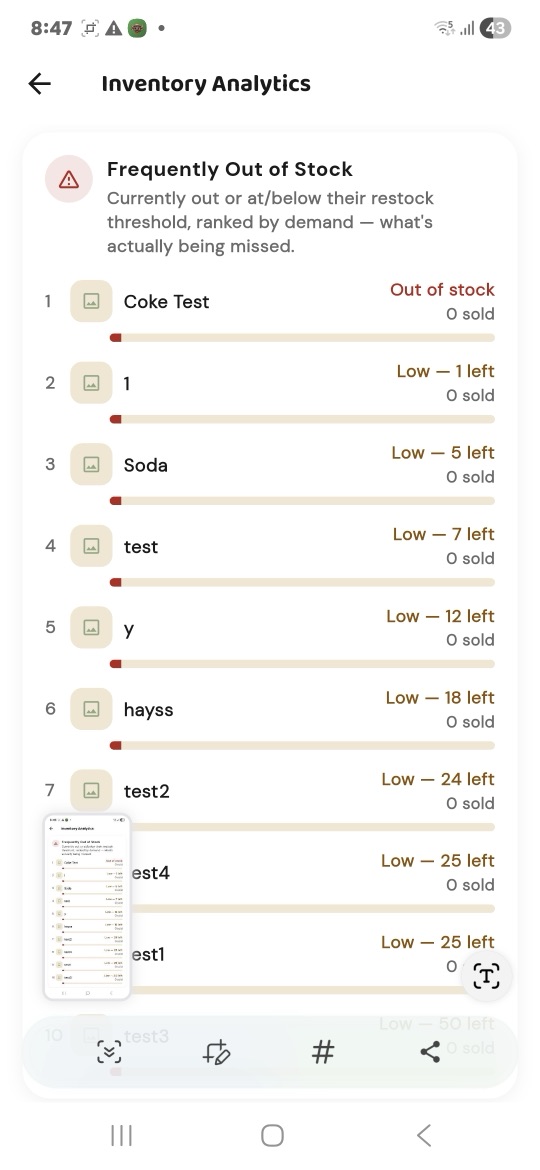
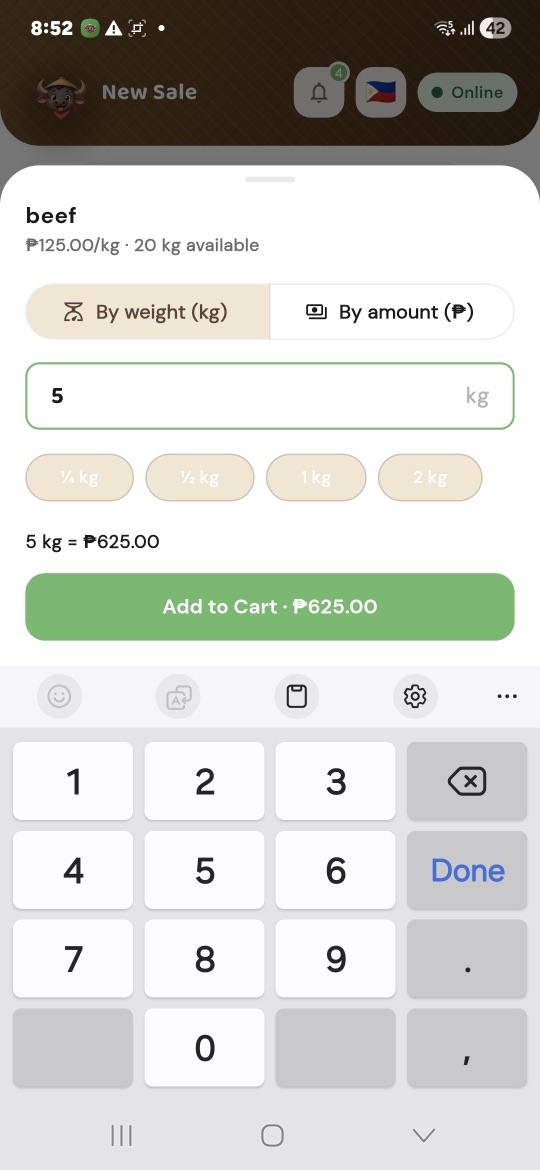
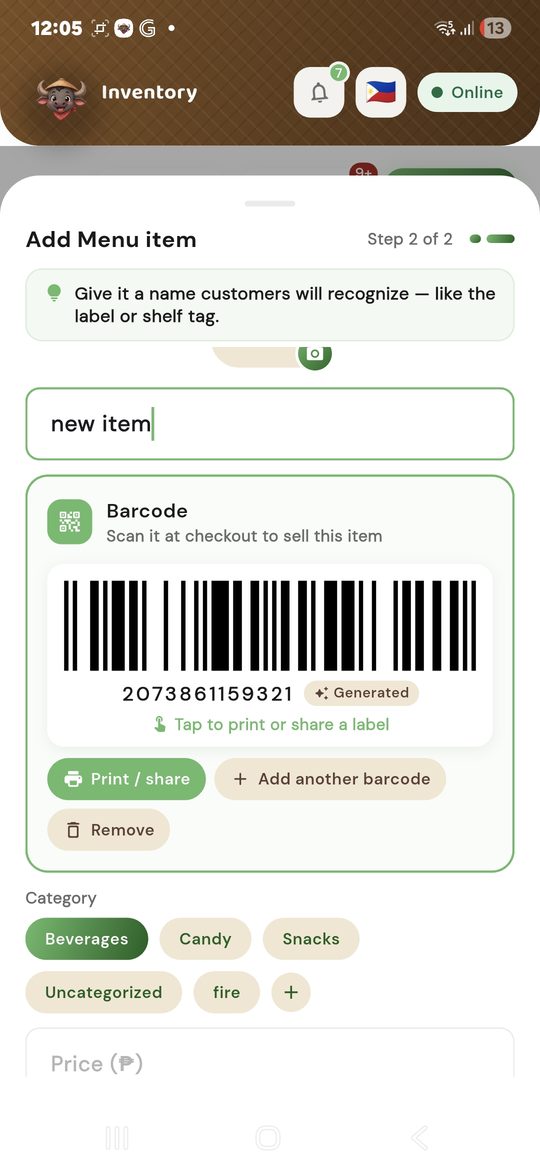
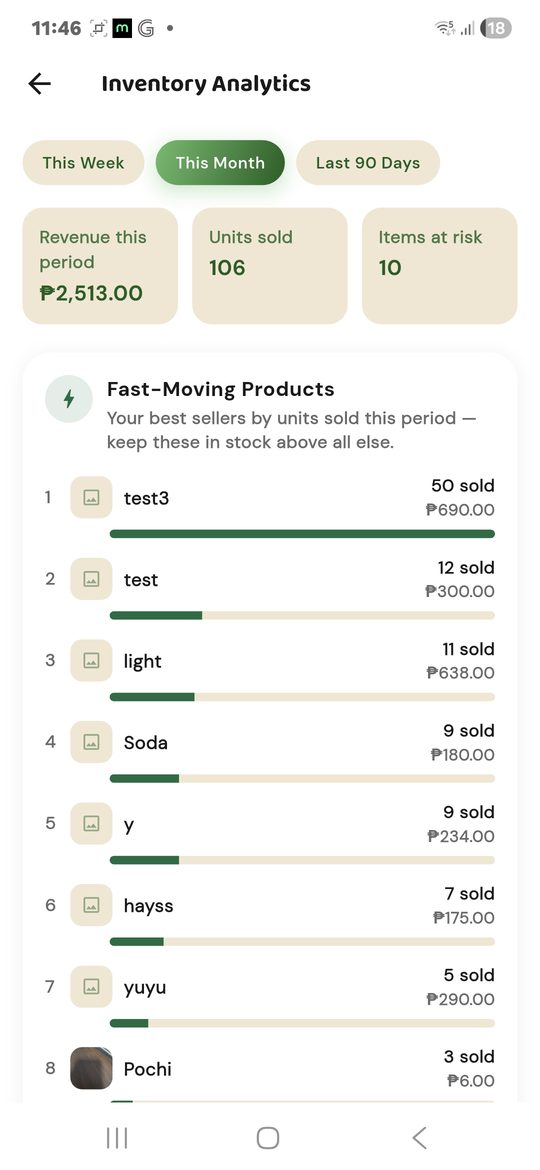
What's out or low, ranked by what customers want most.
👉 Tap the glowing dots on the phone
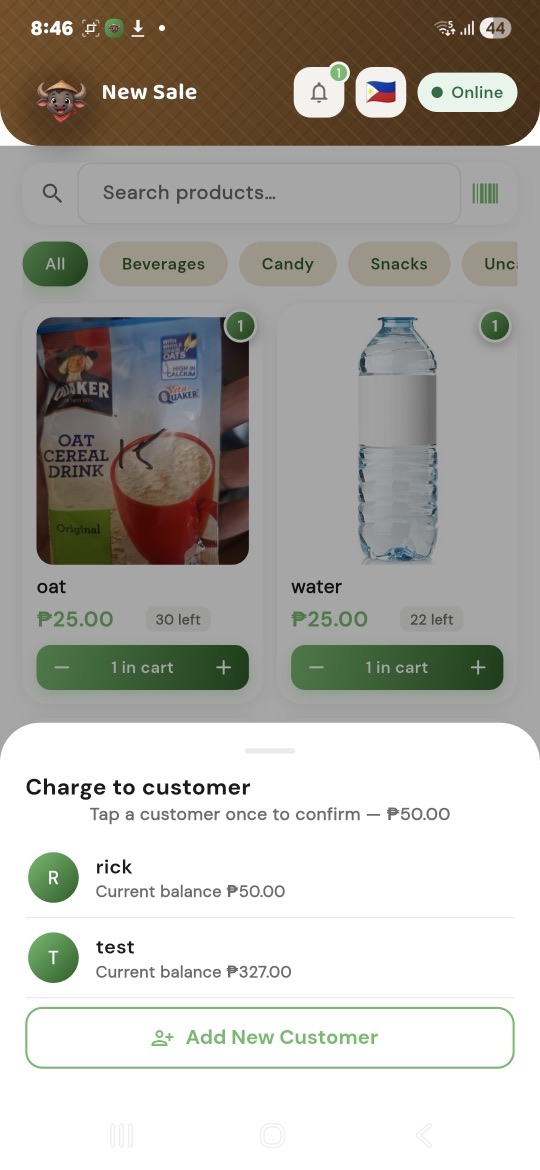
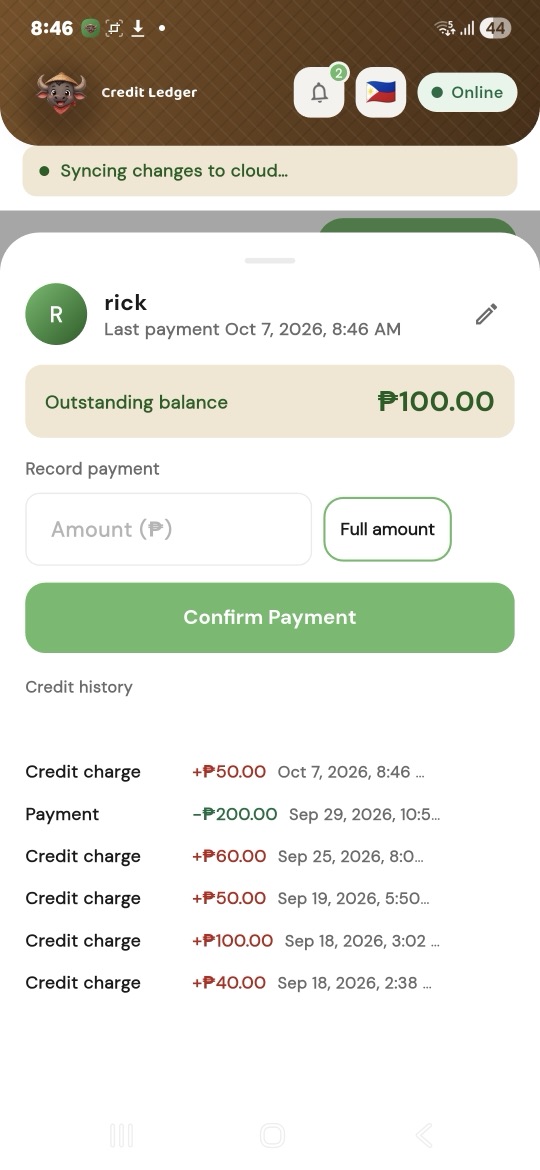
Pay by credit, then tap the customer. That's it.
👉 Tap the glowing dots on the phone
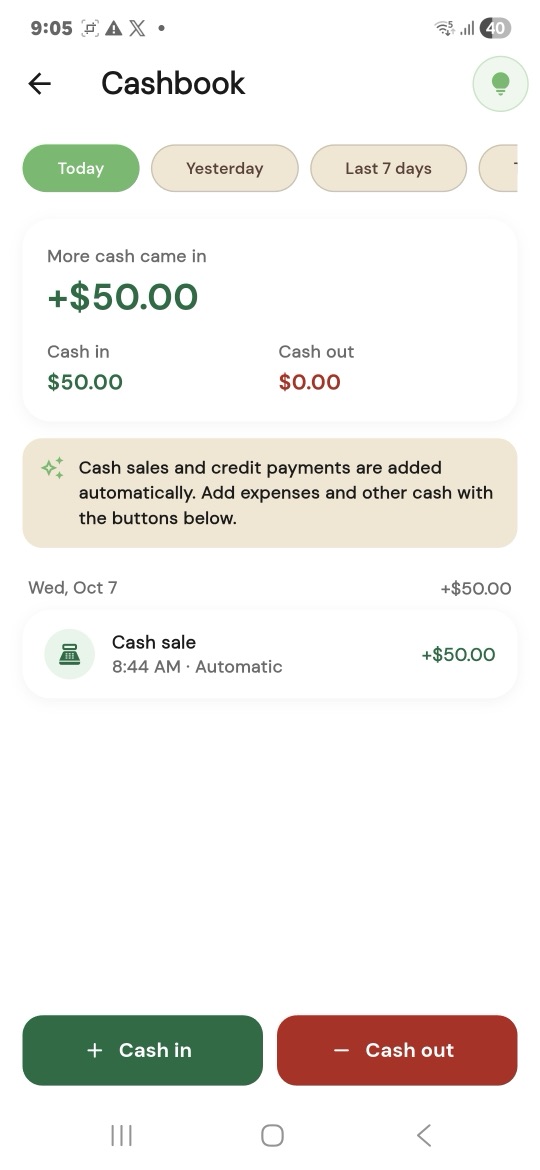
Money in and out, in your own currency.
👉 Tap the glowing dots on the phone
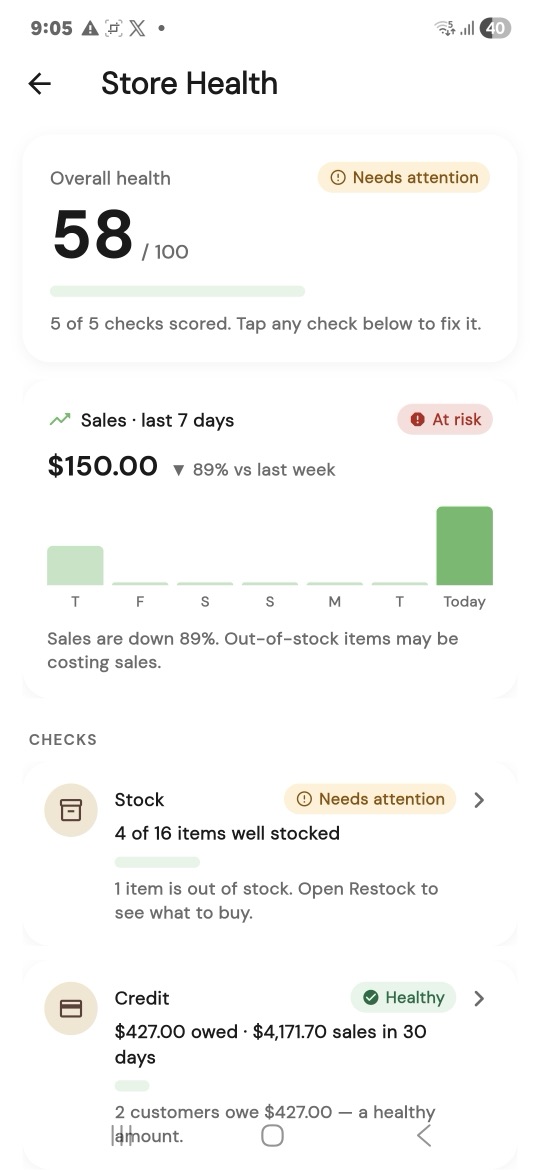
Your store's score, and what needs attention first.
👉 Tap the glowing dots on the phone
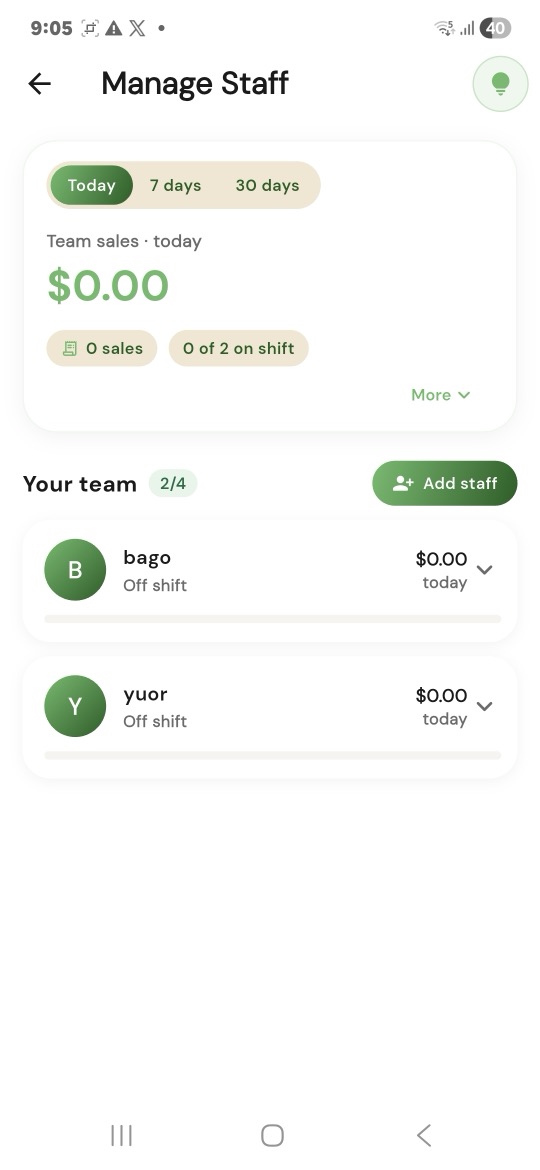
Your team, their sales, and who's on shift.
👉 Tap the glowing dots on the phone
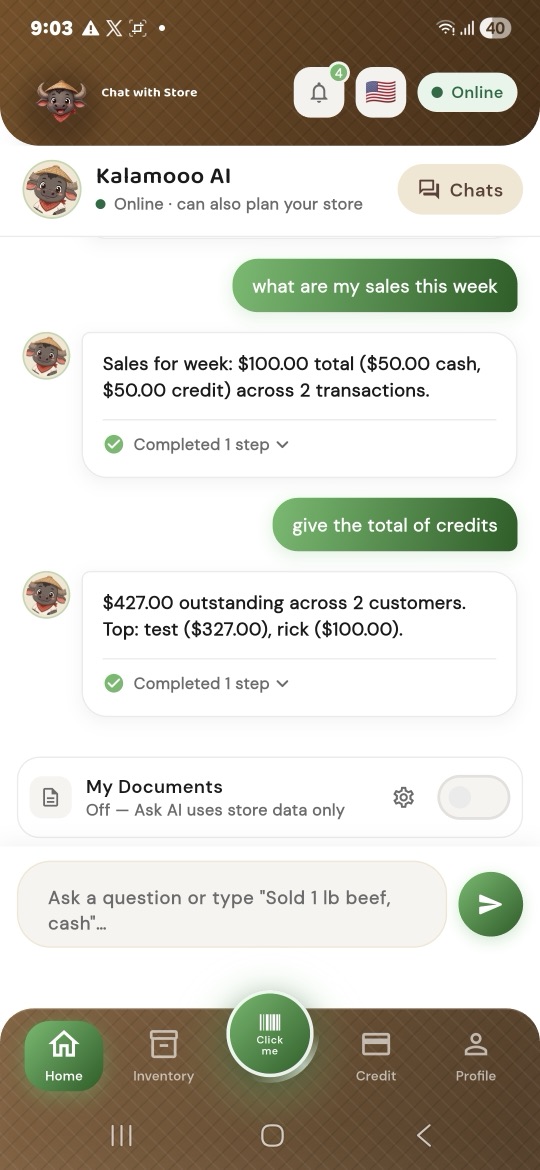
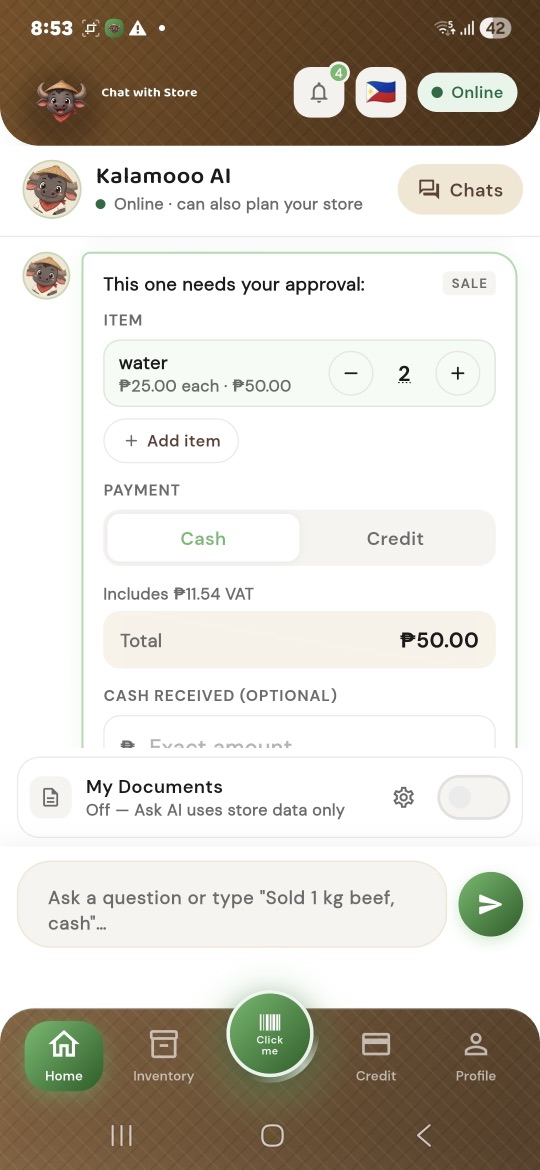
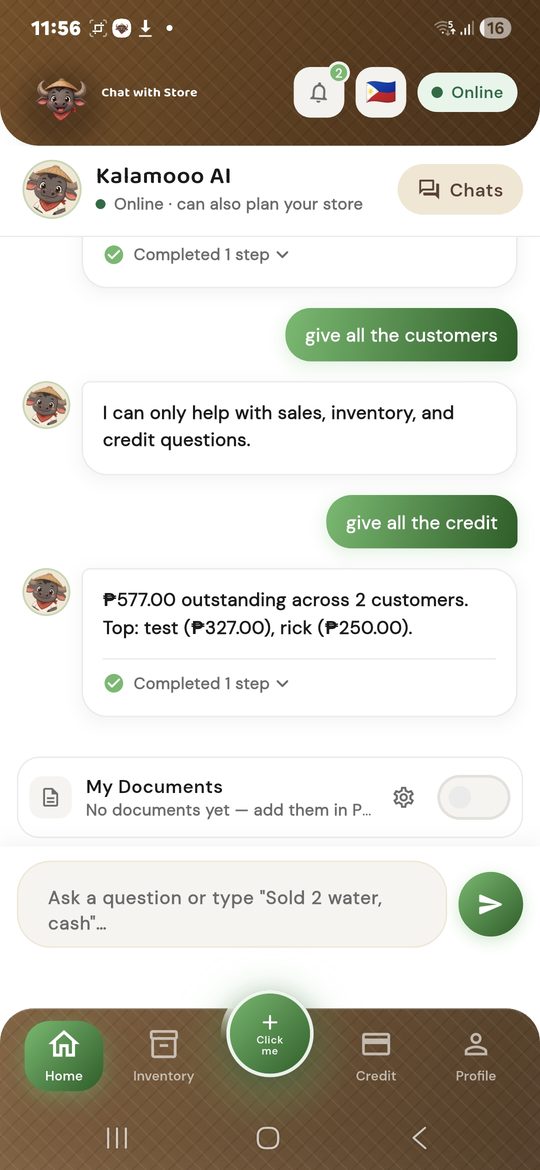
Plain questions, answered from your own records.
Real screens from the Kalamooo app. Kalamooo records how a customer paid; it doesn't take card or e-cash payments itself. Cashbook and Store Health come with Offline Pro or a Cloud plan, and staff need a Cloud plan. See pricing.
The screens you'll use every day.
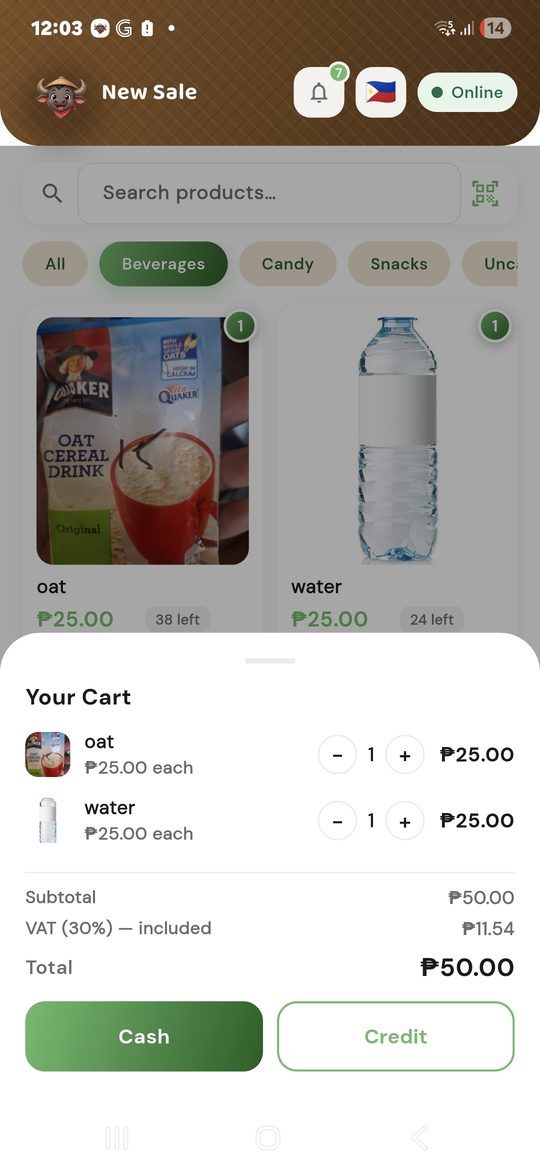
Tell Kalamooo what you sell when you set up, and it shows only what fits your store. Sell more than one kind of thing? Pick more than one. Tap your store to see how it helps.
Neighborhood grocery, convenience, or general store
Every sale, every item, and every customer's credit, without the notebook.
Fresh-market stall: fish, meat, vegetables, fruit
Built for a market stall with a weak signal.
Shops that sell by the piece and by the box
Sell one or sell a case, at the right price every time.
Hardware, building supply, and electronics & accessories
Thousands of small items, found in one scan.
Clothing & accessories, beauty & personal care, pet supplies
Sizes, colors, and photos, so nobody grabs the wrong one.
Food stalls, small cafés, and takeaway counters
Fast at the counter during the rush.
Salons, repairs, laundry, and more
Charge for your time, not just for things.
Running a sit-down restaurant? Kalamooo doesn't handle tables or kitchen orders, but it works well for food stalls, cafés, and takeaway counters.
From opening the door to counting the cash, Kalamooo is right there behind the counter.
Home shows a heads-up that rice is running low, plus today's Kalamooo tip.
Scan, tap, done. Kalamooo shows the cash received and the change to give back.
A regular asks to pay on Friday. One tap puts it on their credit, and their balance updates.
The signal drops. You keep selling, and everything is saved on your phone.
Your restock list is ready for tomorrow's trip to the supplier.
Check the cashbook and your Store Health score, or ask: “How did today compare to last week?”
Ask about your sales, stock, customers, or expenses in plain words. The answers come from your own records.
Example answers
What sold best this week?
Rice, 48 kilos. Coffee sachets came second, with 120 sold.
Who owes me the most?
Maria owes 850. Her last payment was 12 days ago.
How much did I spend this week?
2,350 in total: 1,800 on restocking and 550 on delivery.
No computer, no training. Just your phone.
Get Kalamooo free from the App Store or Google Play. Start offline with a PIN, or sign in with Google or Apple.
Tell Kalamooo what you sell and choose your currency. Our carabao shows you around.
Type them in or scan their barcodes. Start with a few; add more anytime.
Ring up your first sale. No internet needed.
Selling, inventory, and customer credit are free forever. Add more when your store needs it.
$0forever
Sell, track stock, and keep customer credit. Works offline.
$7.99one-time
More insight for your store, still with no account. Pay once, yours forever.
$4.99per month
or $49.99 per year
Back up, use more than one phone, and add staff.
$7.99per month
or $79.99 per year
For a bigger team and more Ask AI.
1-week free trial on your first Cloud or Cloud Plus subscription. One trial per Apple or Google account.
Prices shown in USD. You'll see your local price in the App Store or Google Play.
Yes. Selling, credit, stock, and your cashbook all work with no signal, and everything saves on your phone right away. Nothing goes online by itself: your records are backed up only when you choose to import them into an online account.
No. Offline mode works with just a PIN, and your records stay on that phone. For backup, more than one phone, or staff, sign in with Google or Apple. That's a separate online store, and you can import your offline records into it whenever you choose.
Yes. Your records are locked on your phone, and only your store can see them. Once you import them into an online account, they're backed up there too, so a lost phone doesn't mean lost records.
Yes. Staff sell from their own phones, and you see each person's sales and shifts. Cloud includes up to 4 staff and Cloud Plus up to 8. You need to be signed in, and their phones need internet to sell.
Any currency. Pick yours when you set up your store, and every price, total, and receipt uses it.
Yes. Use your phone's camera or a keyboard-style barcode scanner. For items without a barcode, Kalamooo can make one for you to print. Scanned a code it doesn't know? Link it to an item you already have.
No. It records how your customer paid (cash, e-cash, card, or credit) so your totals are right, but the payment itself goes through your own card machine or e-cash app.
Yes. Selling, inventory, and customer credit are free forever and work offline. Offline Pro and the Cloud plans add more. See pricing for what each plan includes.
More in the user guide and on the pricing page, or contact support.

Kalamooo is out now on the App Store and Google Play. Make your first sale in minutes, with or without internet.